SaaS Testing: What It Is, Key Challenges, and Best-Practice Approaches

Introduction
Software as a Service (SaaS) has become the dominant delivery model for modern software. From CRM platforms and collaboration tools to finance, healthcare, and e-commerce systems, SaaS applications power everyday business operations across the globe. Industry analysts estimate that the global SaaS market will surpass $300 billion by 2027, with adoption rates exceeding 90% among mid-to-large enterprises. This explosive growth reflects how organizations increasingly rely on cloud-hosted applications that are accessible anytime, anywhere.
With this growth comes an equally significant challenge: quality. When a SaaS product fails, it doesn’t affect a single installation; it impacts thousands or even millions of users simultaneously. Performance issues, security breaches, or compatibility bugs can quickly erode trust and trigger customer churn.
SaaS testing refers to the systematic validation of cloud-hosted, multi-tenant software to ensure it works reliably, securely, and consistently for all users. Unlike traditional on-premise applications, SaaS products run in shared environments, update frequently, and serve a global, diverse user base. These factors fundamentally change how testing must be approached.
In this article, we’ll explore what SaaS testing really means, why it’s unique, the key challenges teams face, and best-practice strategies, including how crowd testing fits into a modern SaaS QA approach.
Defining SaaS Testing

At its core, SaaS testing is the process of validating a software application from an end-user perspective while accounting for the unique constraints of the SaaS delivery model. It doesn’t just ask, “Does it work?” but rather:
Does it work for all tenants, on all devices, under all realistic conditions?
What Makes SaaS Testing Different?
SaaS testing must address several defining characteristics of SaaS applications:
- Multi-tenancy: Multiple customers (tenants) share the same application instance while expecting strict data isolation.
- Frequent updates: New features, fixes, and experiments are deployed weekly or even daily.
- Shared infrastructure: Performance issues or failures can cascade across tenants.
- Global user base: Users access the system from different regions, networks, devices, and browsers.
Because of these factors, SaaS testing goes beyond validating functionality. It must also ensure scalability, resilience, security, and a consistent user experience across environments.
Types of SaaS Testing
A comprehensive SaaS testing strategy typically includes:
- Functional Testing: Verifies features, workflows, and business logic behave as expected.
- Performance & Load Testing: Measures how the system performs under varying loads, peak usage, and traffic spikes.
- Security Testing: Identifies vulnerabilities, validates data isolation, and protects tenant data.
- Compatibility Testing: Ensures consistent behavior across browsers, devices, operating systems, and screen sizes.
- API & Integration Testing: Validates interactions with third-party services, microservices, and internal APIs.
- Regression Testing: Confirms that new releases don’t break existing functionality.
Why SaaS Testing Is Unique
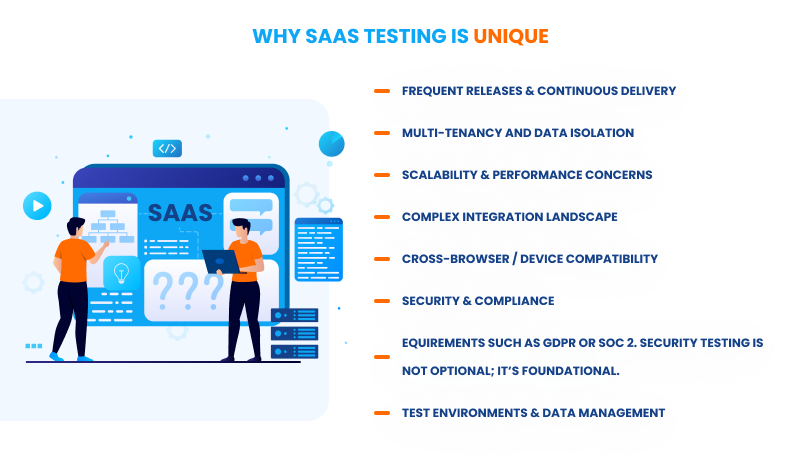
Frequent Releases & Continuous Delivery
SaaS teams often deploy updates continuously. While this accelerates innovation, it increases the risk of regressions. Testing must be automated, fast, and tightly integrated into CI/CD pipelines.
Multi-Tenancy and Data Isolation
A defect that exposes one tenant’s data to another can be catastrophic. Testing must rigorously validate authorization, access control, and tenant separation across all workflows.
Scalability & Performance Concerns
SaaS usage can grow unpredictably. Performance testing must cover peak loads, sustained usage, and sudden spikes, especially during promotions or major feature launches.
Complex Integration Landscape
Modern SaaS products rarely operate in isolation. They integrate with payment gateways, analytics tools, identity providers, and customer systems. Each integration introduces additional failure points that must be tested.
Cross-Browser / Device Compatibility
Users access SaaS applications from desktops, tablets, and smartphones, using a wide range of browsers and operating systems. Ensuring a consistent experience across this diversity is a major testing challenge.
Security & Compliance
SaaS providers are responsible for protecting sensitive data and meeting regulatory requirements such as GDPR or SOC 2. Security testing is not optional; it’s foundational.
Test Environments & Data Management
Maintaining realistic test environments and safe, representative test data is harder in shared, cloud-based systems. Poor test data can invalidate results.
As the product grows, test automation must scale without becoming brittle. Beyond pre-release testing, continuous monitoring in production becomes essential to detect real-world issues quickly.
Approaches & Best-Practice Methodologies for SaaS Testing
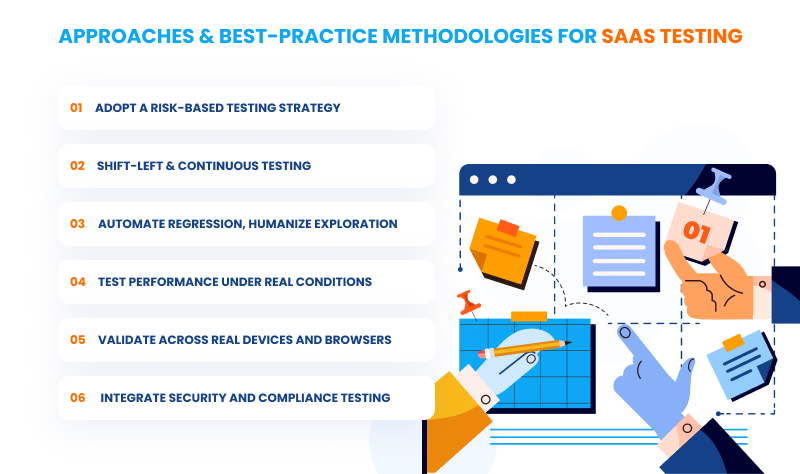
1. Adopt a Risk-Based Testing Strategy
Not all features carry the same business risk. Allocate testing effort based on potential impact:
- High Risk (≈80% effort): Authentication, payments, data handling, permissions.
- Medium Risk (≈15% effort): Reporting, notifications, dashboards.
- Low Risk (≈5% effort): UI polish, help documentation.
This ensures limited testing resources are focused where failures would hurt most.
2. Shift-Left & Continuous Testing
Testing should start early, not after development is “done.”
- Integrate automated tests into CI/CD pipelines.
- Run tests on every commit.
- Use feature flags to test new functionality with limited user groups, even in production.
Early feedback reduces costly late-stage fixes.
3. Automate Regression, Humanize Exploration
Automation excels at repetitive, stable checks, but humans are better at discovery.
- Automate core regression tests.
- Use exploratory testing to uncover edge cases and UX issues.
- Follow the test pyramid: many unit tests, fewer integration tests, and minimal UI tests.
- Avoid automating everything. Beyond a certain point, automation delivers diminishing returns.
4. Test Performance Under Real Conditions
Performance testing should reflect how users actually behave:
- Simulate realistic user journeys, not just raw API traffic.
- Test peak load, sustained load, and sudden spikes.
- Monitor real user performance metrics, not only server-side stats.
Where crowd testing helps: Real users reveal perceived slowness and responsiveness issues that synthetic tests often miss.
5. Validate Across Real Devices and Browsers
- Apply the 80/20 rule: test the devices and browsers your users actually use (based on analytics).
- Prioritize mobile, which often accounts for over half of SaaS traffic.
- Prefer real devices over emulators; emulators miss hardware-specific issues.
Where crowd testing helps: Access to hundreds of thousands of real devices without the capital and operational burden of maintaining device labs.
6. Integrate Security and Compliance Testing
- Conduct penetration testing at least quarterly.
- Automate vulnerability scanning in CI/CD.
- Rigorously test authentication and authorization flows.
- Validate compliance requirements such as GDPR data deletion and access logging.
How Crowd Testing Fits Into the SaaS Testing Strategy
Crowd testing is not a replacement for automation or internal QA teams; it is a strategic extension of them. It acts as a complementary layer that validates scenarios that internal teams cannot easily replicate.
When to Use Crowd Testing
- Before major releases: Validate critical user journeys and catch high-impact issues.
- During new feature rollouts: Especially when features affect multiple regions or devices.
- For usability & UX validation: Real users uncover friction points faster.
- For large-scale device/browser coverage: Without investing in infrastructure.
- For exploratory testing: Discover unexpected behaviors automation can’t anticipate.
- For performance perception: Understand how speed feels to real humans, not just servers.
Benefits of Crowd Testing for SaaS Teams
- Expanded coverage across diverse environments.
- Faster bug discovery through parallel execution.
- Validation under real-world conditions.
- Reduced internal QA workload.
- Better alignment with user expectations leads to higher customer satisfaction.
Measuring Success & Metrics (KPIs) for SaaS Testing
To improve SaaS quality, teams must track the right metrics:
- Defect density & escaped defects: Bugs found after release.
- Test coverage: Functional, API, performance.
- MTTD & MTTR: Mean time to detect and repair production issues.
- Performance metrics: Response time, throughput, and error rates under load.
- Availability: Uptime and recovery time.
- CI pipeline velocity: Test execution time and environment utilization.
- Business impact: Customer-reported bugs vs. internally caught bugs
Target: less than 10% of defects reported by customers.
Common Challenges to Implementation & How to Overcome Them
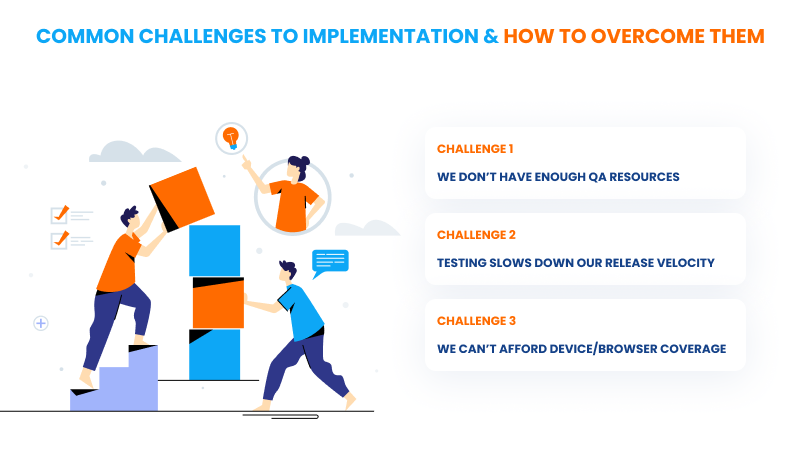
Challenge 1: “We Don’t Have Enough QA Resources”
Symptoms: Developers test their own code, releases slip, bugs reach production.
Solutions:
- Short-term: Augment with crowd testing for device diversity and exploration.
- Medium-term: Hire QA engineers focused on automation strategy.
- Long-term: Shift testing left developers own unit and integration tests.
Challenge 2: “Testing Slows Down Our Release Velocity”
Symptoms: QA becomes a bottleneck.
Solutions:
- Test during development, not after.
- Parallelize automated tests and crowd testing.
- Use feature flags to test safely in production with limited users.
Challenge 3: “We Can’t Afford Device/Browser Coverage”
Symptoms: Bugs appear only after launch on specific devices.
Solutions:
- Use cloud device labs for automated testing.
- Use crowd testing for real-device validation without infrastructure costs.
- Prioritize using analytics (80/20 rule).
Example: A SaaS product discovers 15% of users are on Safari iOS, but had only tested Chrome.
Conclusion
SaaS testing is no longer a “nice-to-have” it’s a critical business function. The combination of frequent releases, multi-tenancy, global users, and complex integrations makes SaaS quality assurance fundamentally different from traditional software testing.
By adopting risk-based strategies, shifting testing left, balancing automation with human insight, validating performance and compatibility under real conditions, and leveraging crowd testing where it adds the most value, SaaS teams can dramatically reduce risk while maintaining speed.
Final thought: A robust SaaS testing strategy doesn’t just prevent bugs it delivers better quality, happier customers, and sustainable growth in an increasingly competitive market.
Need help validating your SaaS product under real-world conditions?
If you’re scaling fast, releasing frequently, or supporting users across multiple devices and regions, crowd testing can close the gaps that automation and internal QA teams can’t.
Reach out to the Ubertesters team at sales@ubertesters.com to explore how real-user testing can strengthen your SaaS QA strategy.